
If you are having issues with uploading Excel data:
- Confirm the excel file is formatted to the Tracera template
- Confirm the excel file is saved as a CSV
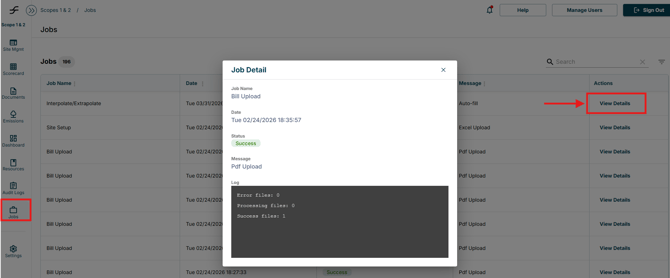
- You can also navigate to Jobs page
- Locate the uploaded document and select “View Details”
- This will explain the error in the document
- Locate the uploaded document and select “View Details”
- Reformat and reupload the document.
- For further questions on how to upload excel documents refer to the “ESG-Flo Data Upload Templates” file
- This can be found in the Resources tab > Files > Templates
- This can be found in the Resources tab > Files > Templates