
If you see multiple rows for the same site with identical utility type, provider, and account/meter number, this typically indicates that some data points were uploaded using different units for the same account.
In most cases, this is due to a data entry inconsistency, and reviewing units is key to resolving the issue.
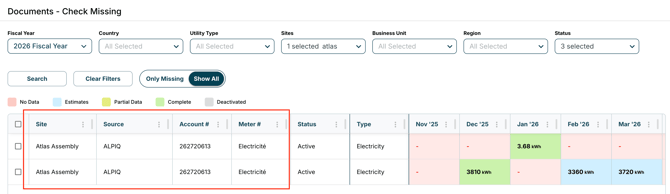
How to Identify and Fix the Issue
- Navigate to Documents → Bill Entries
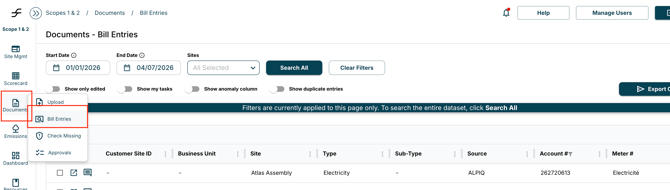
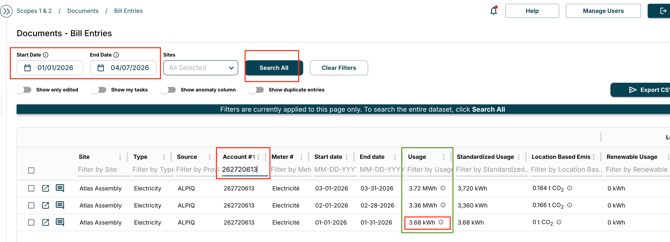
2. Apply filters for:
-
- Consumption period
- Site
- Utility type
- Account/meter number
3. Review the Usage column and associated units to identify any inconsistencies or outliers
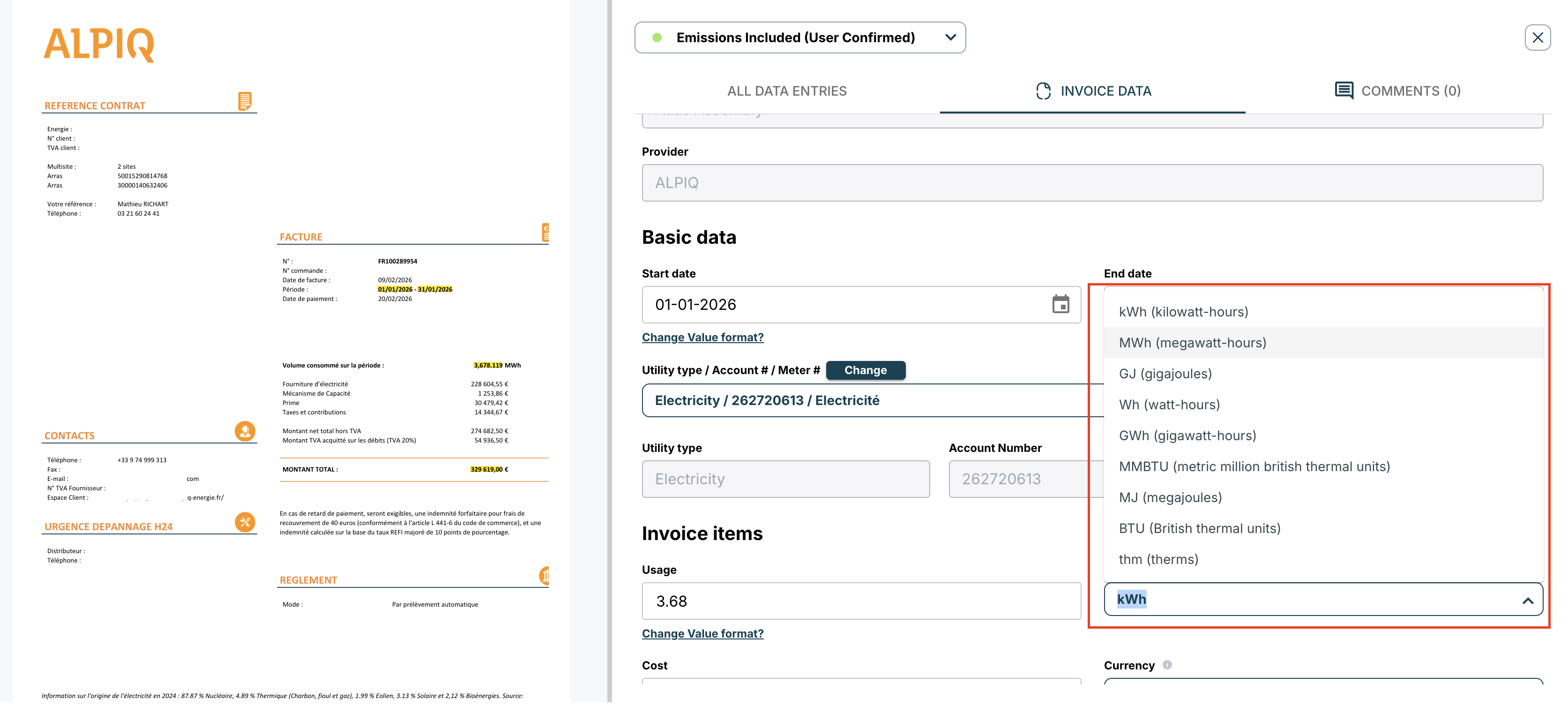
4. Once identified, click into the incorrect entry. Update the unit to match the source documentation (invoice). Click “Save Changes” to apply the update
-png.png?width=2108&height=1204&name=image%20(10)-png.png)
5. Once corrected, the platform will automatically update and remove the duplicate row from the Check Missing page
-png.png?width=3204&height=930&name=image%20(11)-png.png)