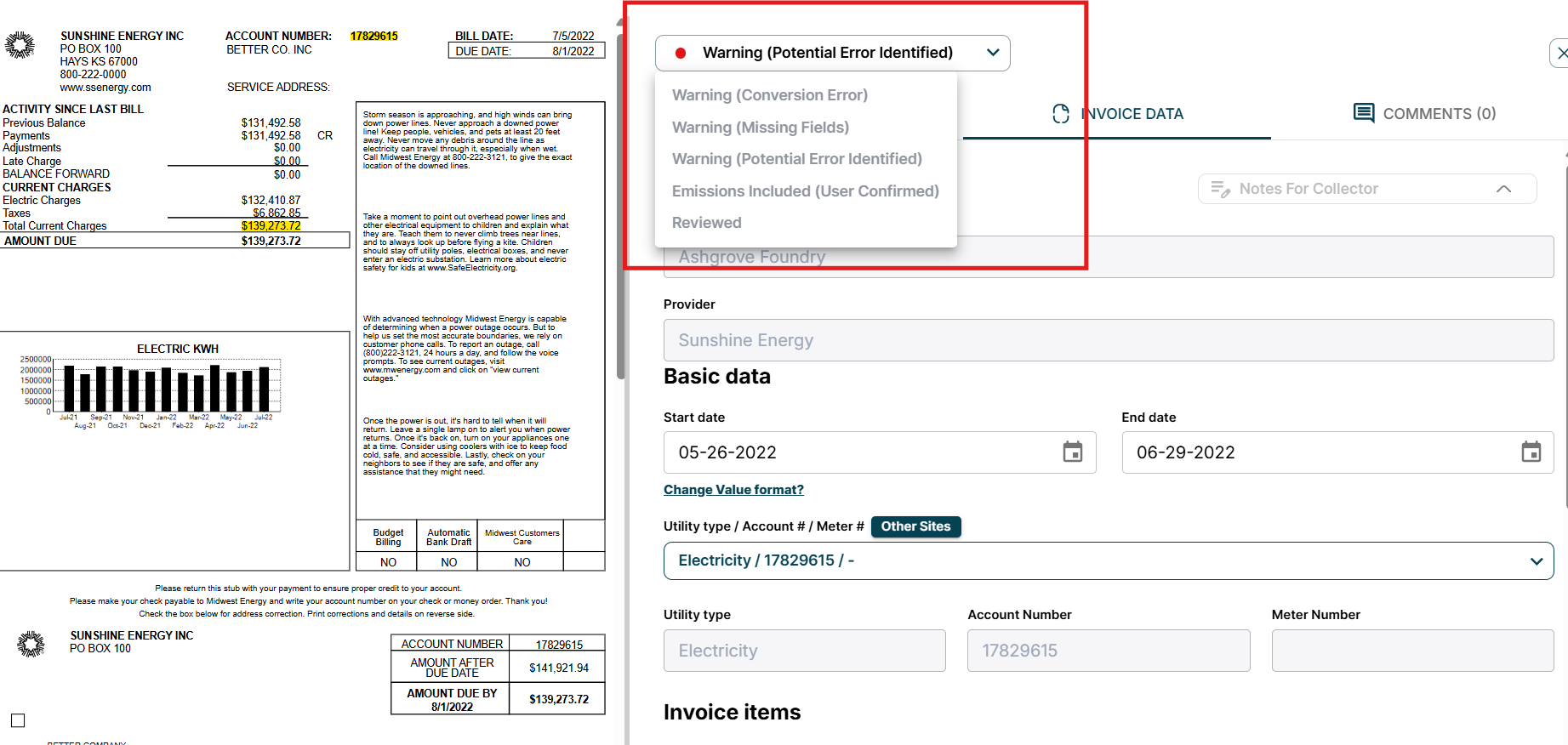
- Navigate to the Documents, Upload Page
- Select the Invoice you want to Review
- Select Invoice Data
- In the drop-down menu at the top of the page select “Reviewed”
- In order to select this status, the invoice must already be set to either “Emissions Included (User Confirmed) or Emissions Included (AI Generated)