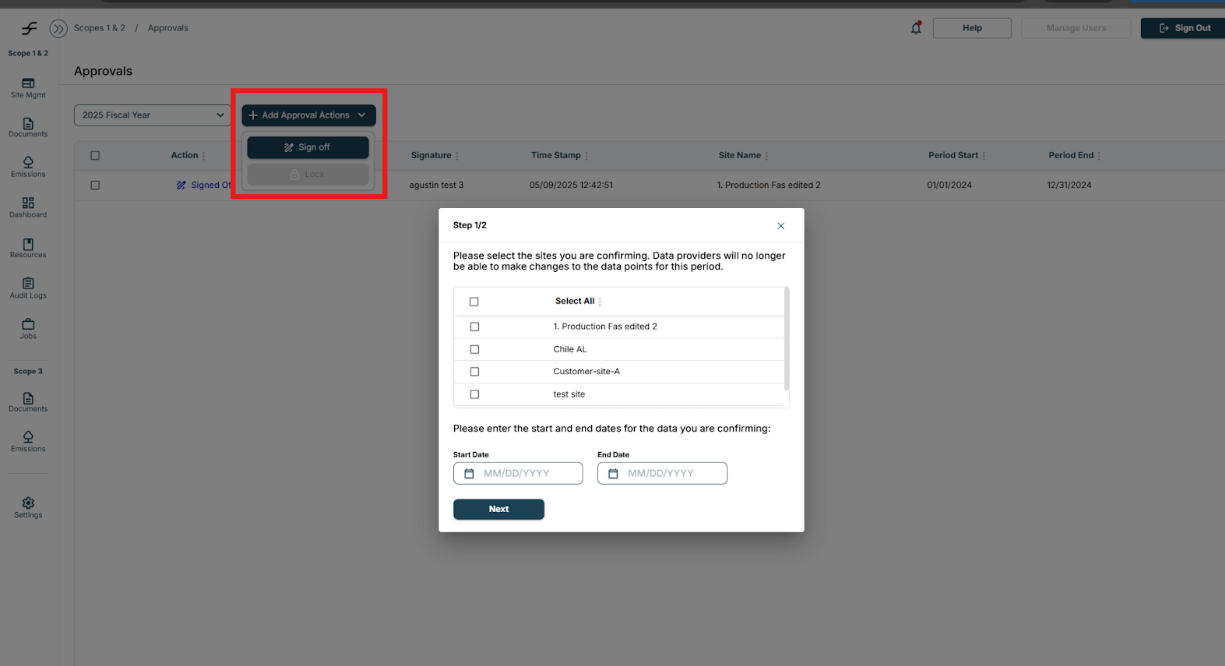
You can lock or sign-off a data set by navigating to:
- Select Documents
- Select Approvals
- This will direct you the Approvals page
- Select the “+ Add Approval Actions”
- Select “Lock” or “Sign Off”
- Select the site you would like to lock
- Select the time period of data you would like to lock
- Select “Next”