
To identify gaps in your data:
- Navigate to the Documents, Check Missing Page
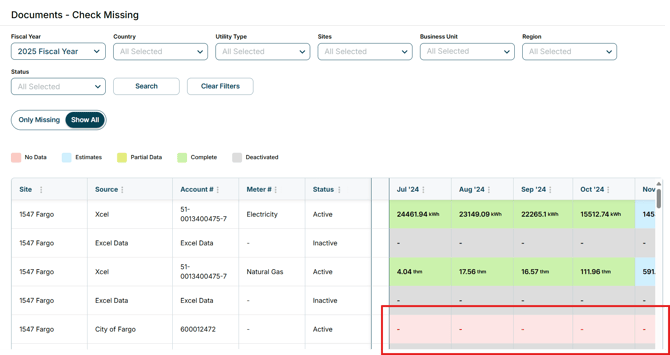
- Once in the Check Missing Page, users can filter by Fiscal Year, Country, Utility Type, Site, Status, and Region
- The usage per month will populate below
- If any of the boxes are marked red, data is missing for that month
Video: https://www.loom.com/share/1a807e784e6d4845aec71fa221f32cd1