
The Dashboards page enables users to visualize trends and identify anomalies across GHG emissions, energy consumption, and cost data. It offers flexible filtering options by site, scope, utility type, timeframe and other categories, allowing users to compare datasets, uncover patterns, and draw meaningful insights.
These interactive visualizations provide a clear overview of performance metrics, helping organizations monitor progress, evaluate efficiency, and make informed sustainability decisions.
Users can also export Dashboard Data in various formats; PNG, JPEG, SVG, CSV, or as a PDF.
- Navigate to the Dashboard tab
- Input the data you would like to appear in the charts
- Select Search
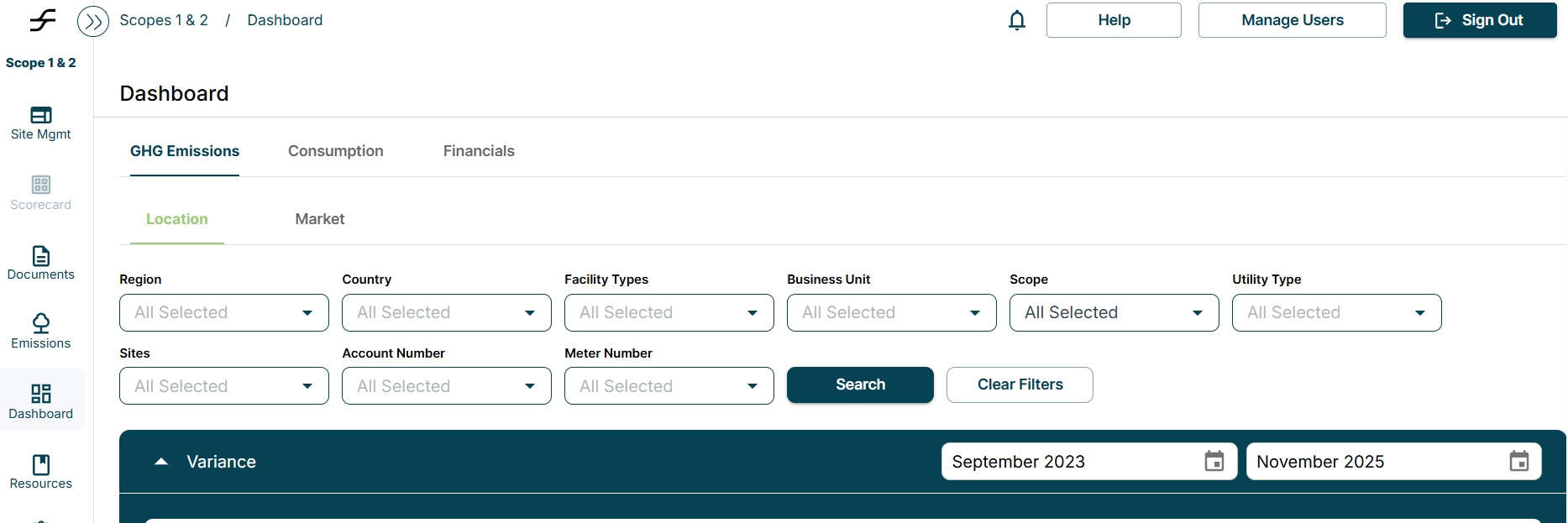
- Select the tab that contains the data you would like to evaluate
- Select the 3 lines in the right corner of the chart
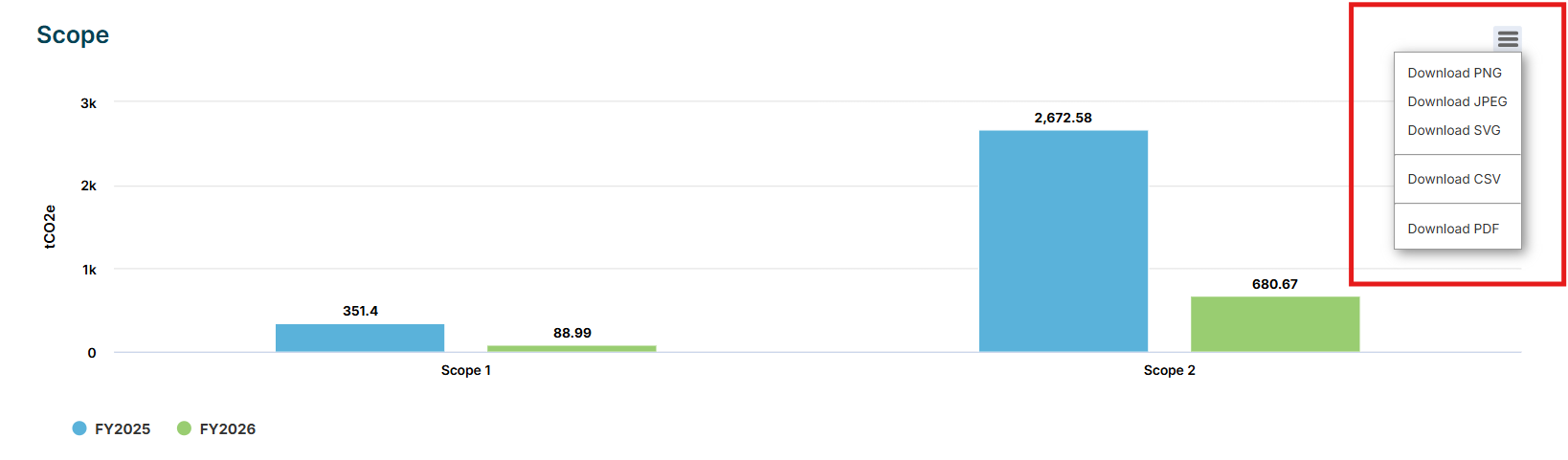
Select the format you would like to export the image in