Skip to content
English
  • There are no suggestions because the search field is empty.

How can I update an existing fiscal year?

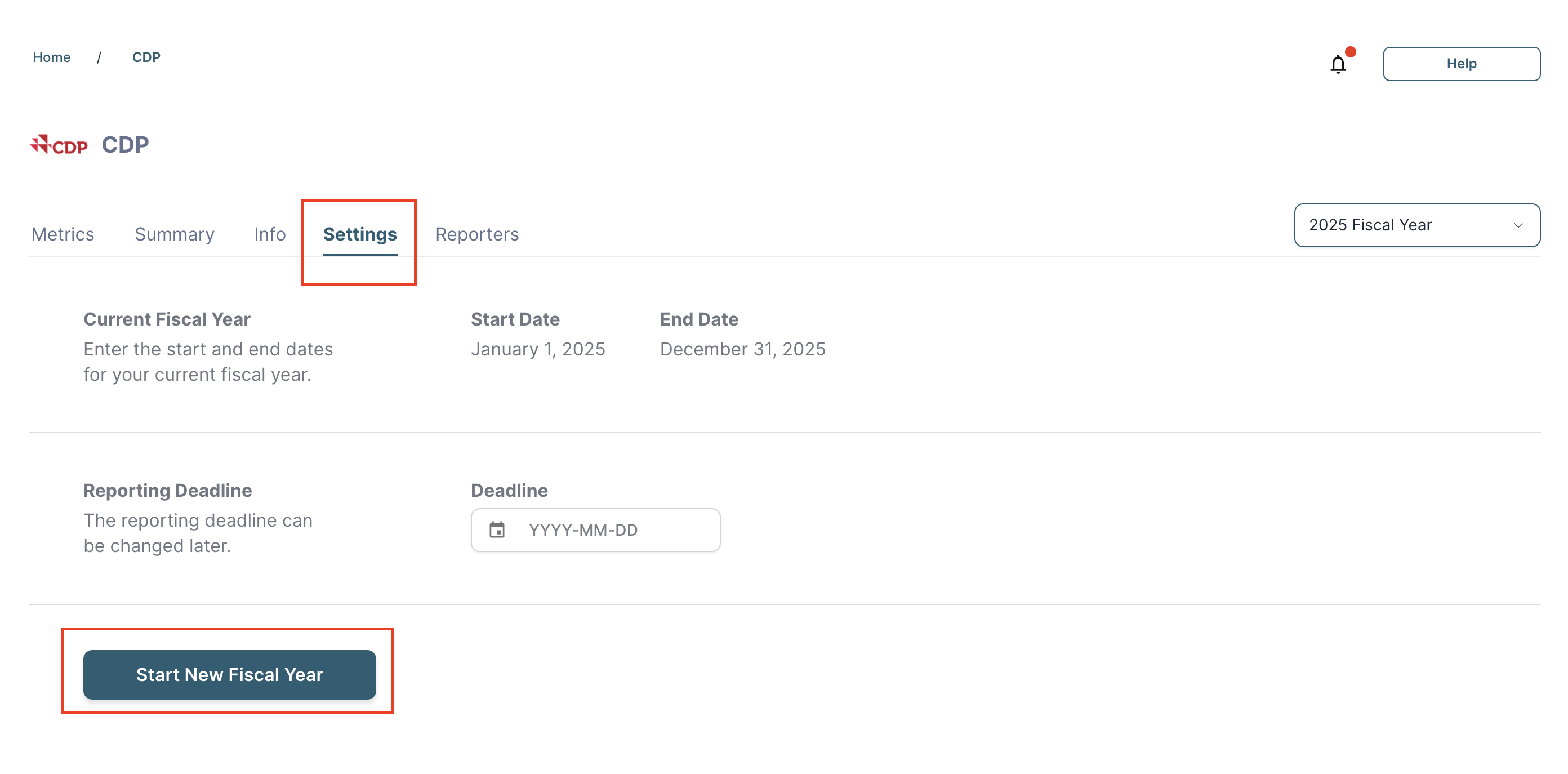
Navigate to the relevant framework, click into Settings, and select ‘Start New Fiscal Year.’

In order to create a new fiscal year for a given framework, follow the below steps:

  1. Click into the framework for which you would like to activate a new Fiscal Year
  2. Click into the “Settings” tab
  3. Select “Start New Fiscal Year”

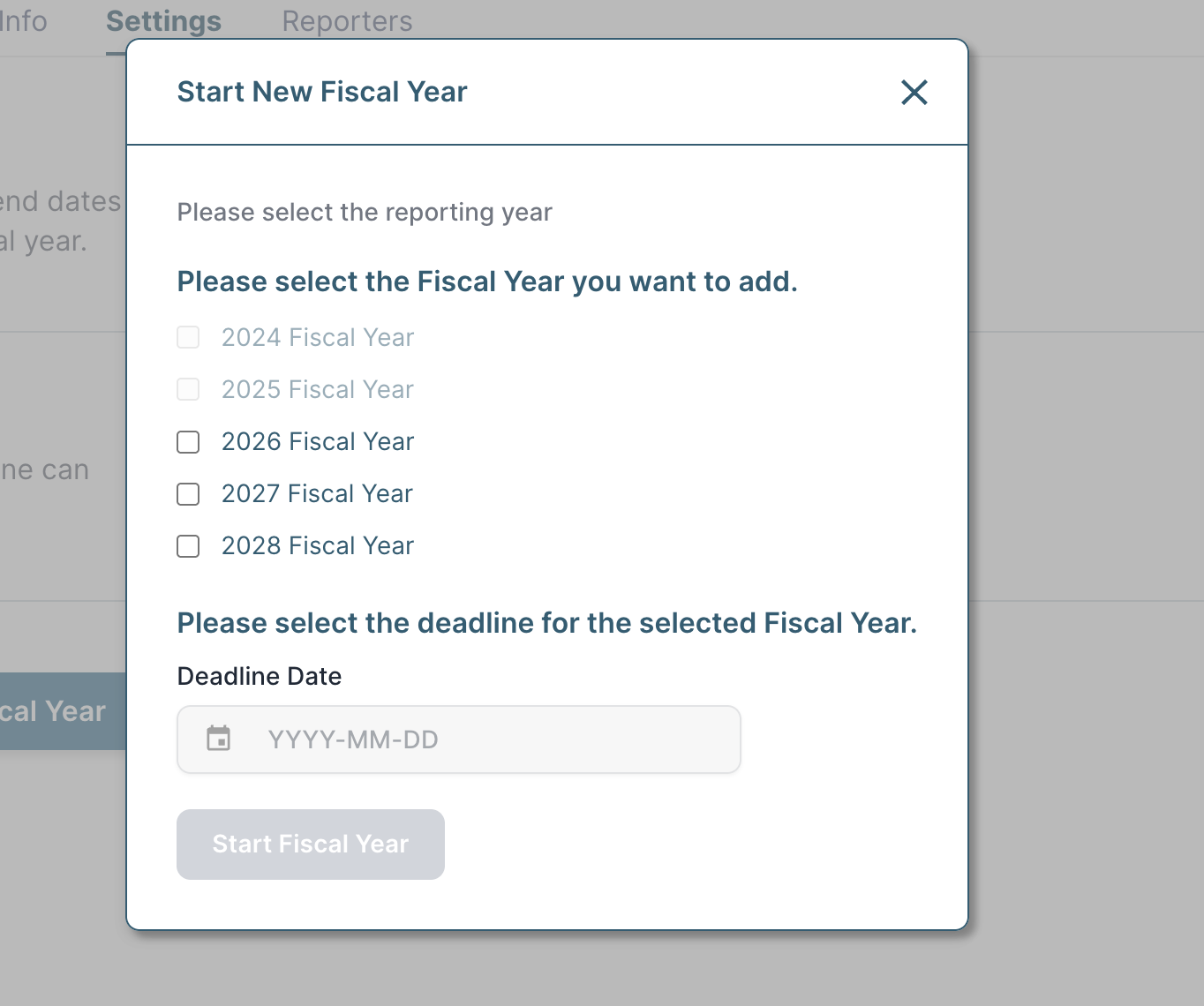
          4. Follow the prompts in the pop-up and click “Start Fiscal Year” when complete

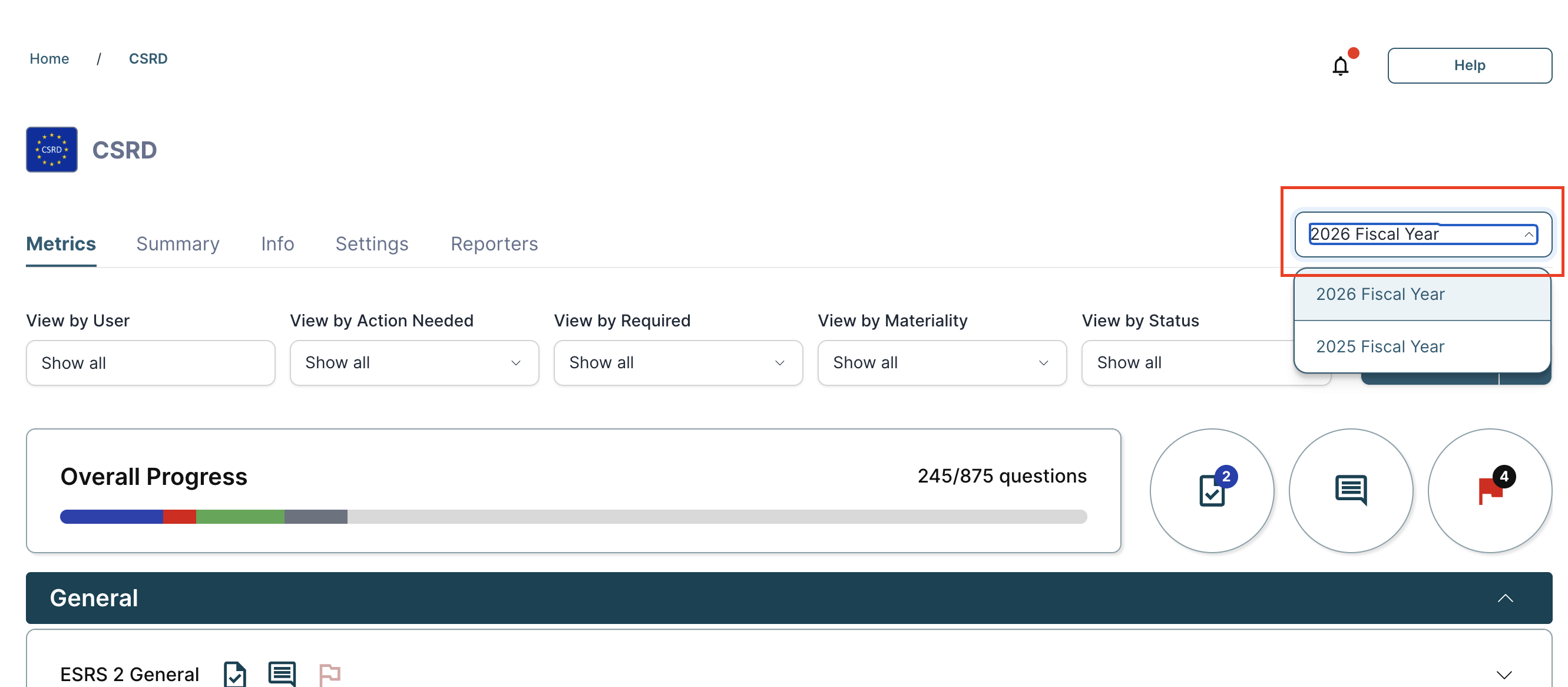
          5. Once a new Fiscal Year is created, you will be able to toggle across the Fiscal Years via the “Fiscal Year” drop-down.