
Adding Utility Provider-Specific Emission Factors
To improve the accuracy of market-based emissions calculations, you can add utility provider-specific emission factors for a given site and utility type.
How to Add a Utility-Specific Emission Factor
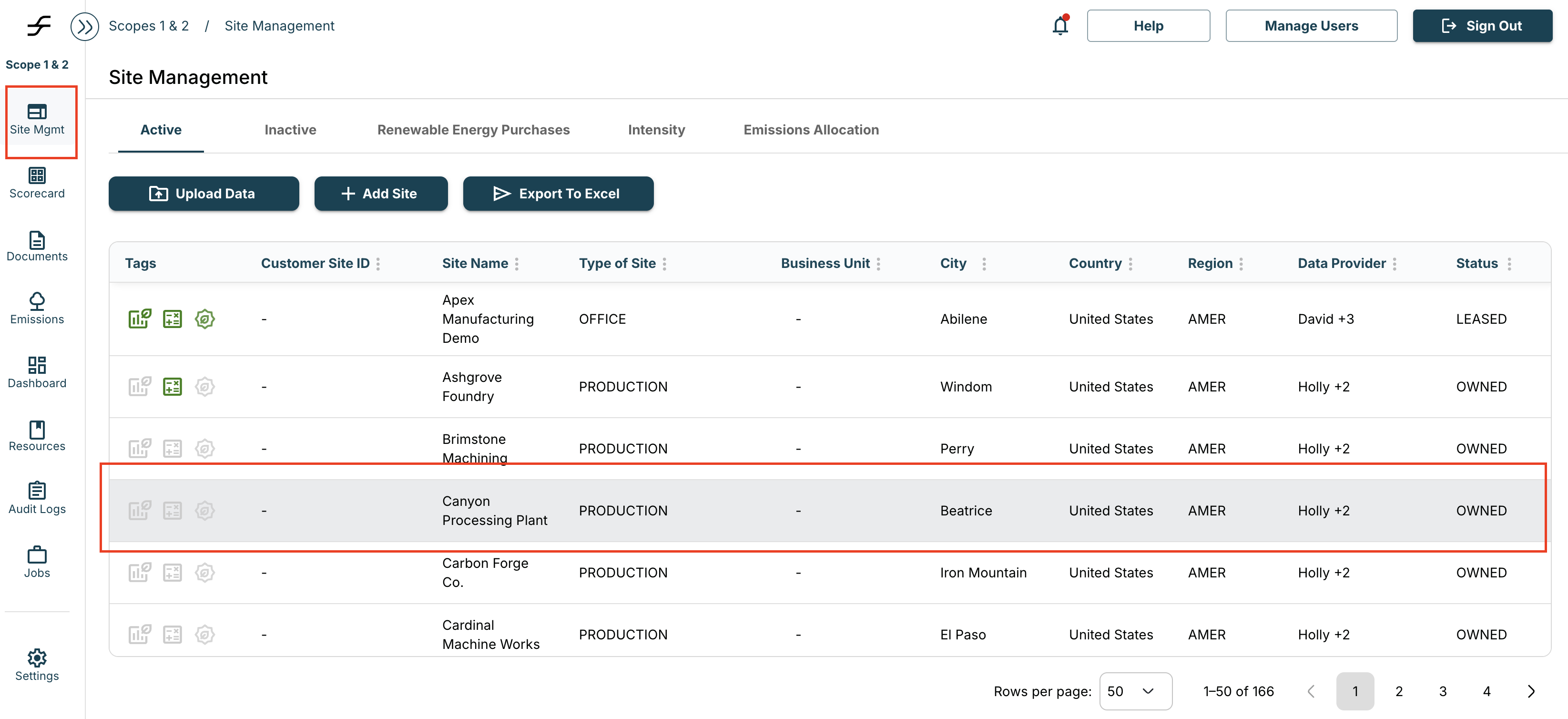
- Navigate to the Site Management page and select the site you want to update
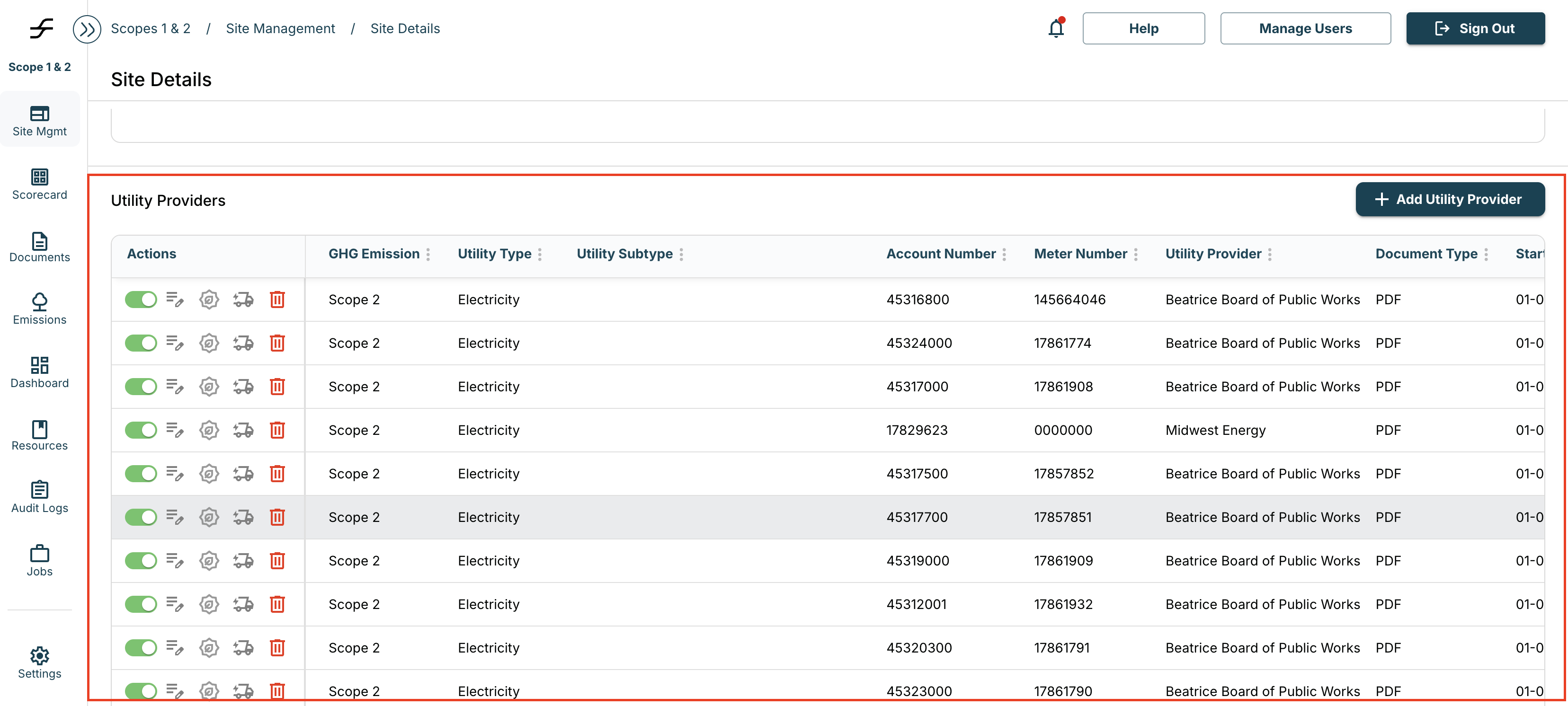
- Scroll to the Utility Providers section
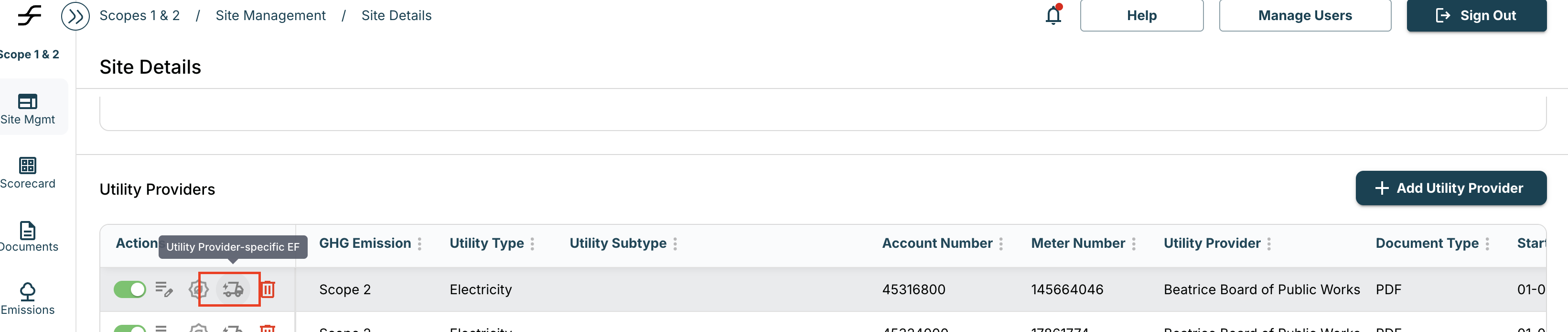
- Locate the relevant utility and click the truck icon associated with the correct utility type, provider, and account/meter
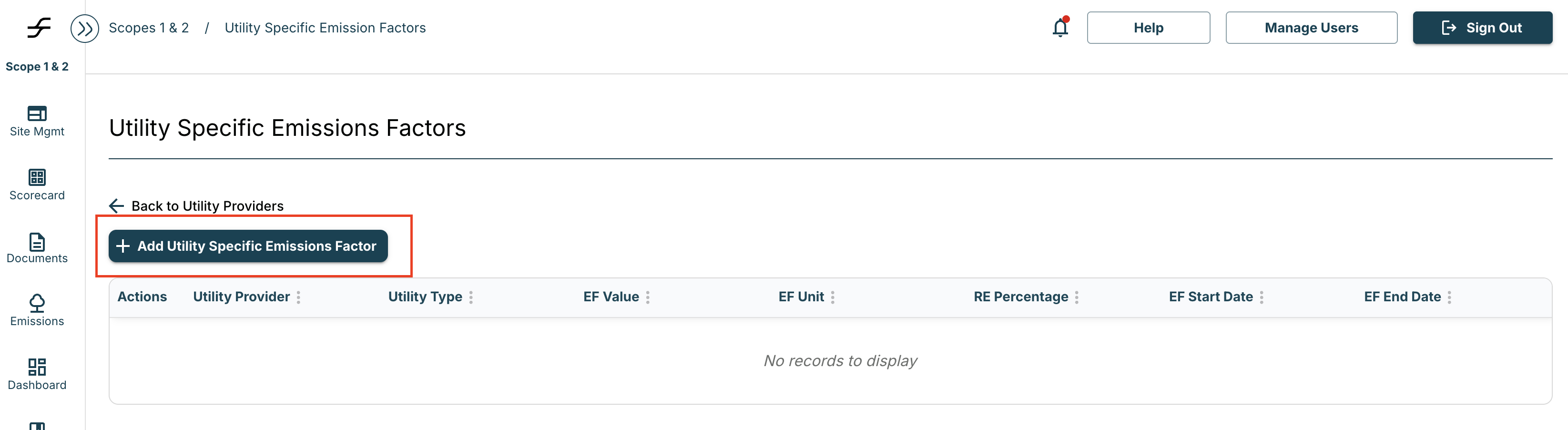
- This will open a new page — select “Add Utility-Specific Emission Factor”
- In the pop-up, enter the required information and click Save
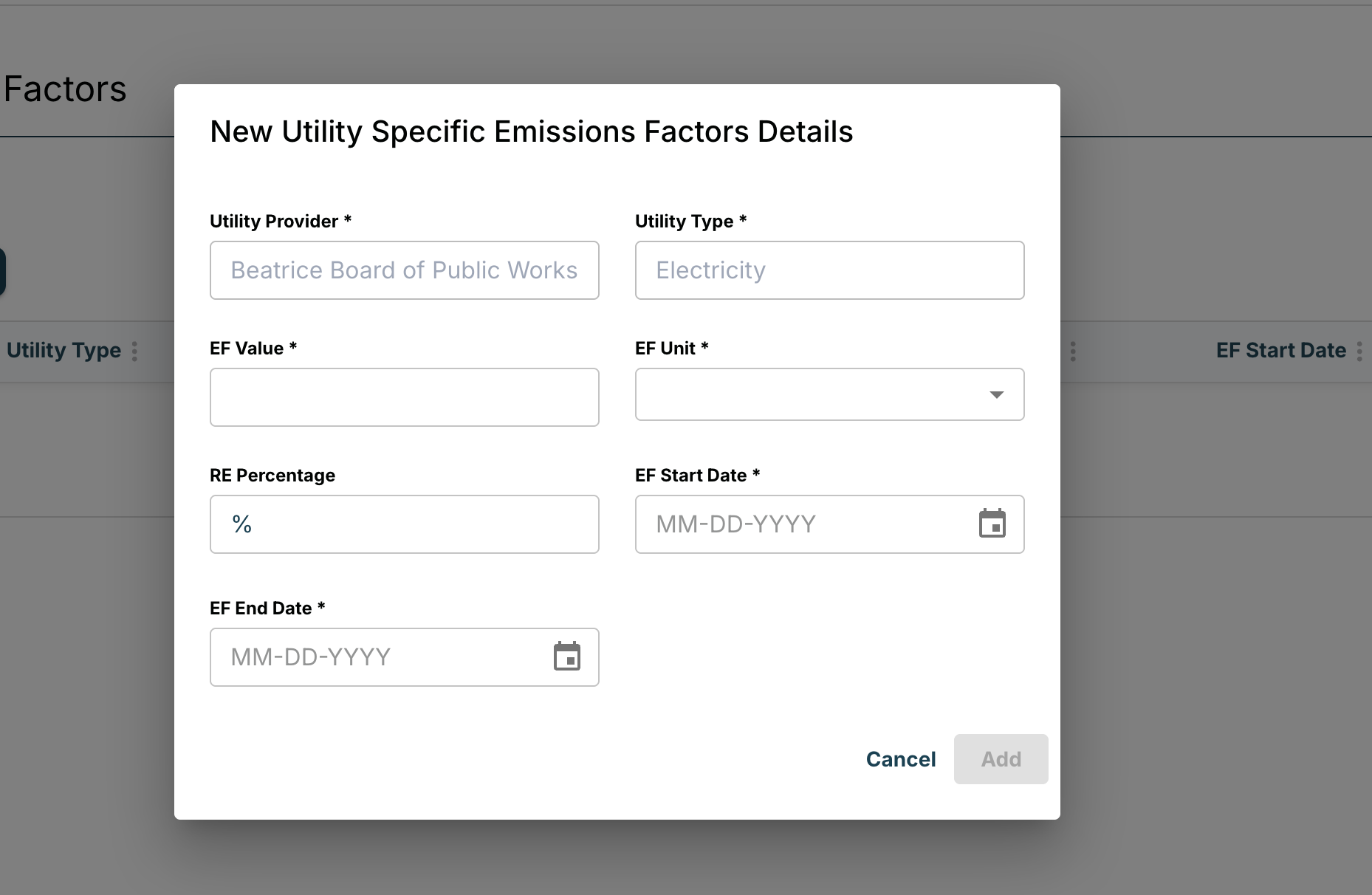
- The emission factor will now appear as a new row. A document icon will indicate that supporting documentation has not yet been added

Adding Supporting Documentation (Recommended)
To attach supporting documentation:
- Click the document icon
- Select the “Upload Data” button on the left-hand side
- Upload the relevant evidence
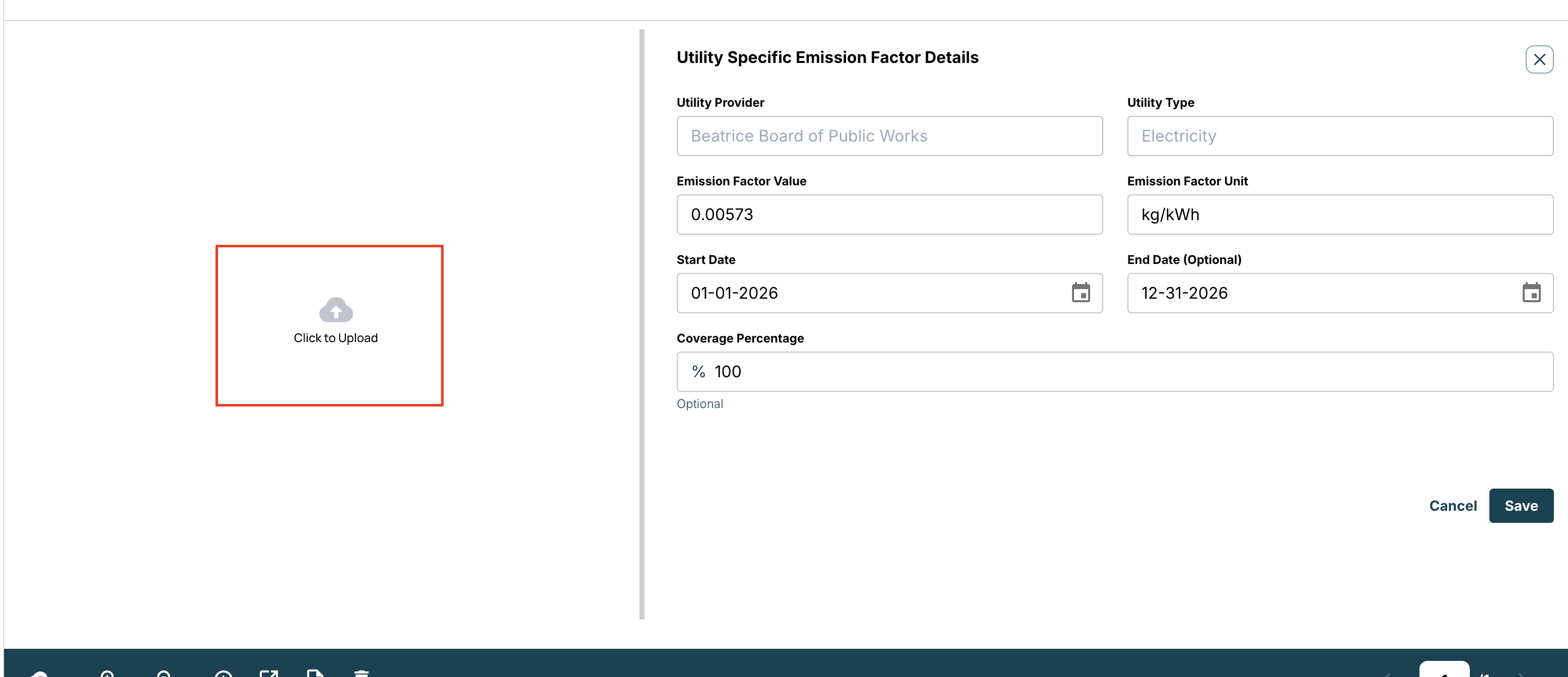
Adding documentation is strongly recommended to ensure auditability and data integrity.